
Fresenius Medical Care Product Information
How to find the IFU that matches your product
For machines:*
1) Enter the product name in the Filter field.
2) Choose the language AND software version on your device. The software version is noted on the start-up report provided to the health care facility when the machine was installed. It is also visible on the machine’s start-up screen.
3) Download the IFU and all supplemental documents.
4) Verify that the IFU downloaded is in the correct language and for the correct software version.
For disposables, consumables, accessories, and additional equipment:*
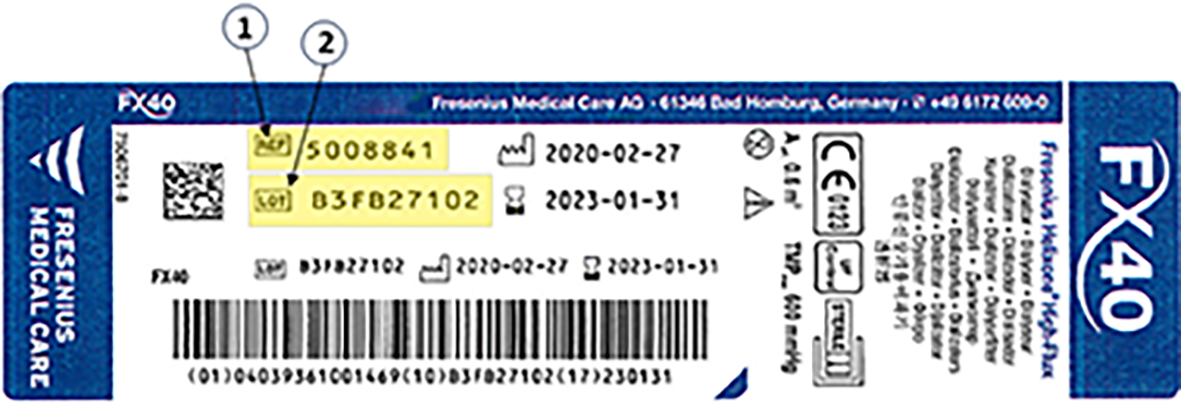
1) Enter the REF number on the product’s label (and not the product’s name) in the Filter field, as indicated in the example label below.
2) If more than one IFU exists for the same REF number, select the next lowest similar LOT number visible on your product label.
3) Download the IFU.
4) Verify that the IFU downloaded is correct, for language, REF number, and, if applicable, LOT number.
*A PDF reader is required to view the IFU.
Notes:
- Contact eifu1@Freseniusmedicalcare.com if you require help finding the IFU that matches your product.